Projectlist
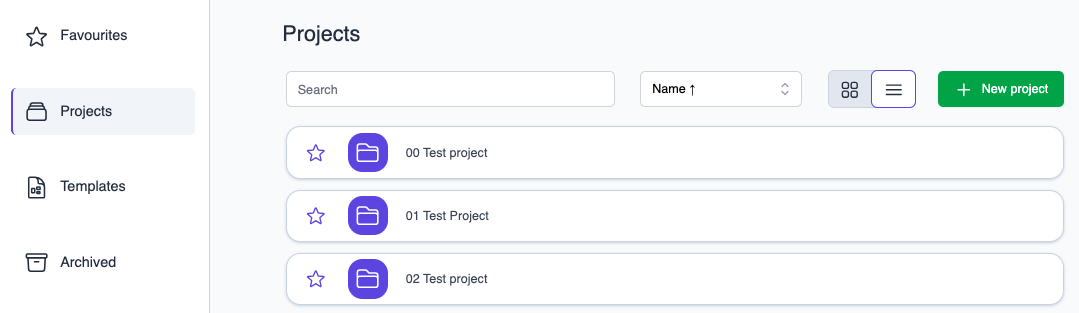
After logging into Datastorms, you'll land on the homepage. Here, you'll see several tabs:
- Favorites: This tab is shown by default. You can mark projects as 'favorites' by clicking the star icon to the left of a project icon. The star will then be completely filled.
- Projects: This tab, by default, displays all projects to which you have access rights.
- Templates: Here are the templates and the projects they are associated with.
- Archive: Projects that have been archived can still be temporarily found on this tab.
If the project list is too long, you can also use the search field to look for a portion of the project name or utilize the sort options left of the search bar.
Project list dropdown
Favorite projects are also easy accessible from the project dropdown in the top left corner!