Preparing Import File
A guide to getting your data ready for import.
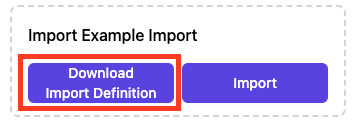
To begin the import process, navigate to the specific page where you want to add data. On this page, you will find the Download Import Definition and Import buttons.
Downloading the Import Template
To ensure your Excel file has the right layout, you can download a template directly from Datastorms. This template is based on the schema and properties that have been set up for the import. Just click the Download Import Definition button.
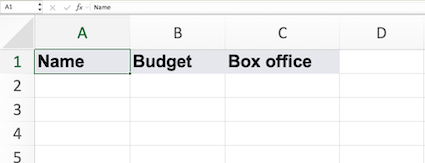
The downloaded Excel file will have columns for each property. For example, if you are importing a "Film" schema, your columns might be "Name," "Budget," and "Box office." You can then enter the values for your data directly into these columns.
Here's an example of what an Excel import template might look like with columns for "Name," "Budget," and "Box Office":
Important Rules for Your Data
- Value Types: Ensure the data you enter matches the property's value type (e.g., text for "string," numbers for "number").
- Required Properties: Do not leave required properties empty.
- Unique Properties: Avoid duplicate values for unique properties, as each object must have a distinct identifier.
If these rules are not followed, validation errors will occur during the import process.