Tree
A Tree is helpfull to show data in its structure. Trees can visualise parent-child (recursive) relations, but also query through relations.
How to add a tree to a page can be found here: Pages
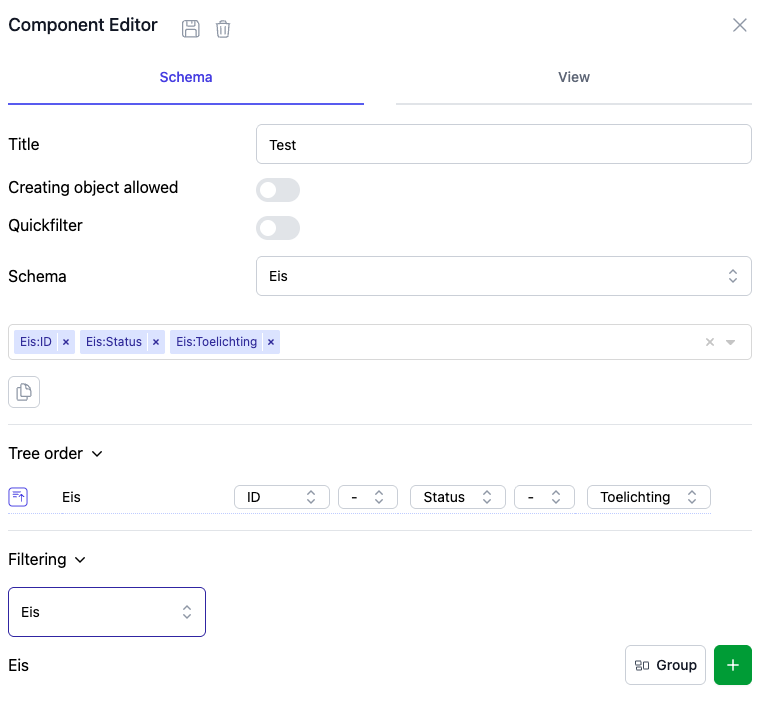
Below you find the available settings for a Tree.
Title
The title of a Tree is optional. When set, a title will be shown above the tree on a page
Query
A tree can contain one Query. Below the Tree order the selected properties are grouped per scheme. Every line is a level in the tree. In the screenshot the top-level is OjbectType and the sub-level is Is type for Object. In this example the tree will show all ObjectTypes with their Objects.
For every level there are as many positions reserved as there are properties selected. In this example we see there are two properties selected for ObjectType: ID and Name. It is free to choose which property is shown on which position. Sorting is done based on the positions.
Between the positions a seperator can be placed to distinguish the properties and give some context.
Filtering
The filtering option works exactly the same way for a tree as for a table. For the explanation visit the table page.
Special options
Quick filter
The quick filter will enable a simple search field above the tree. This enable the user to easy search throug all values available in the tree.
Creating object allowed
The creating object allowed option will enable users to add objects to the tree.